
To put Evis or Koch key cards into use, the following steps must be carried out in the kiosk settings:
To get into the settings, double-tap the version number and enter the password 1234567890
-
Open Settings
-
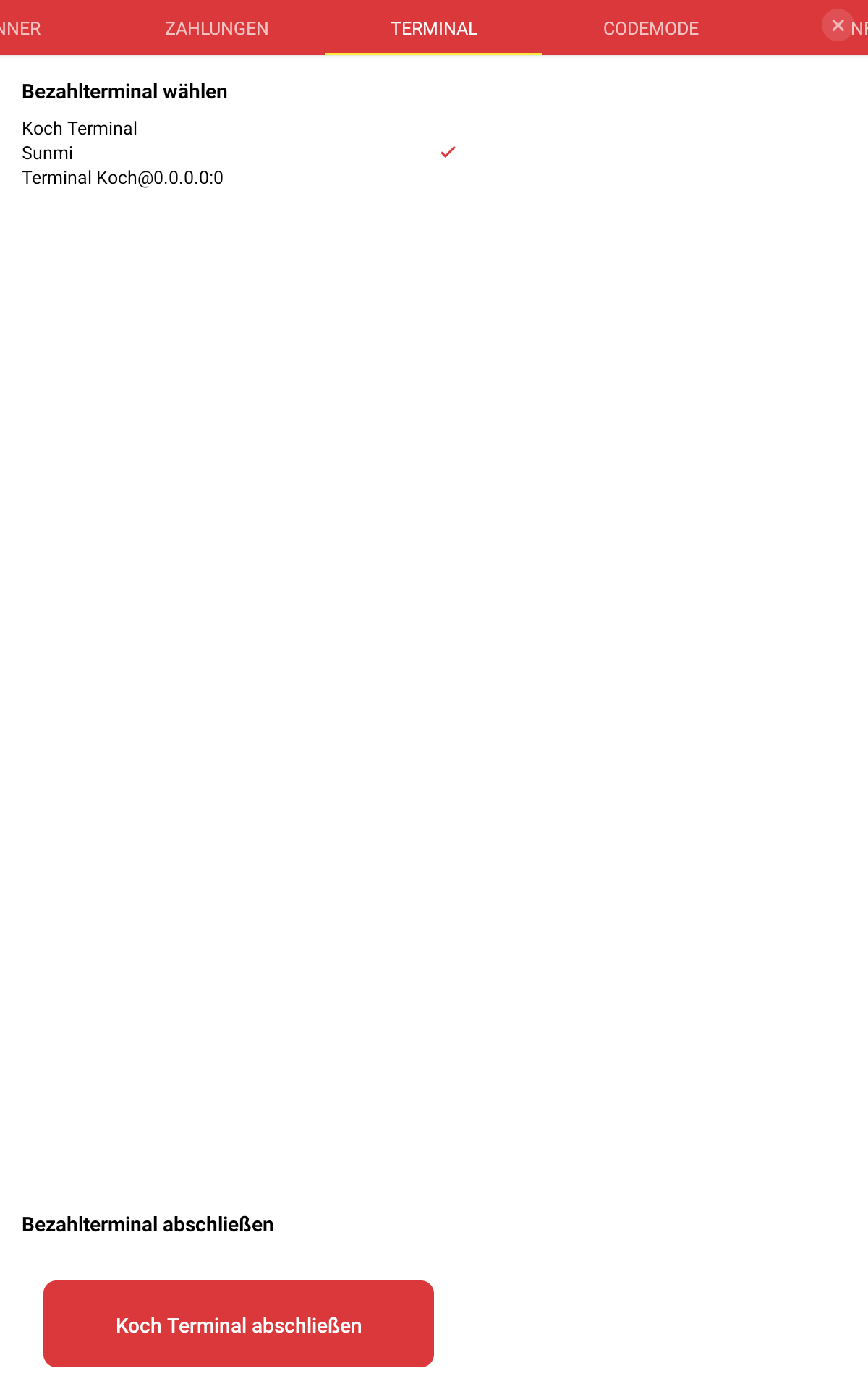
Under the Terminal tab, select the desired terminal
-
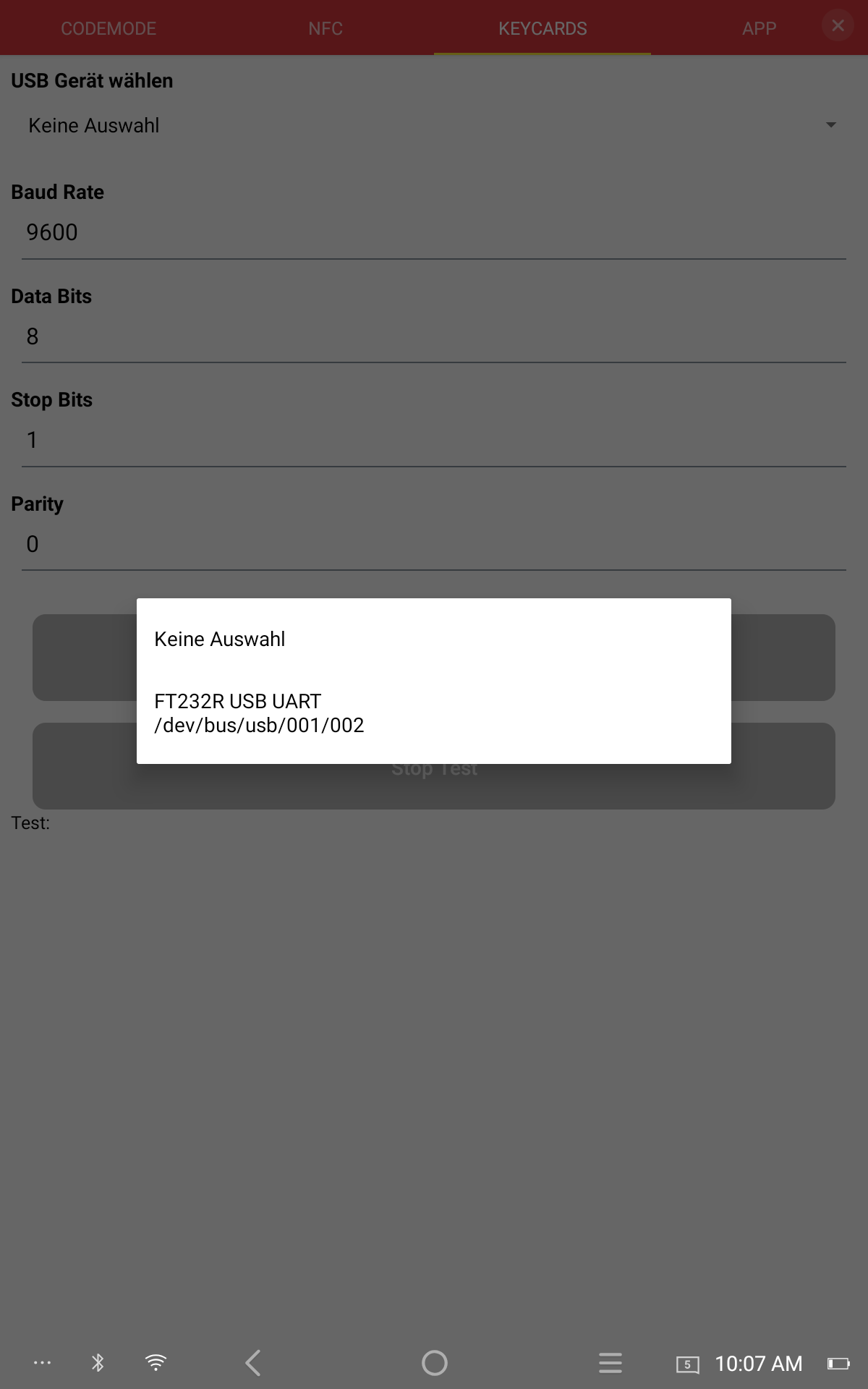
Under the Keycards tab, select the USB device
-
After selection, settings on the serial interface can be made if needed
-
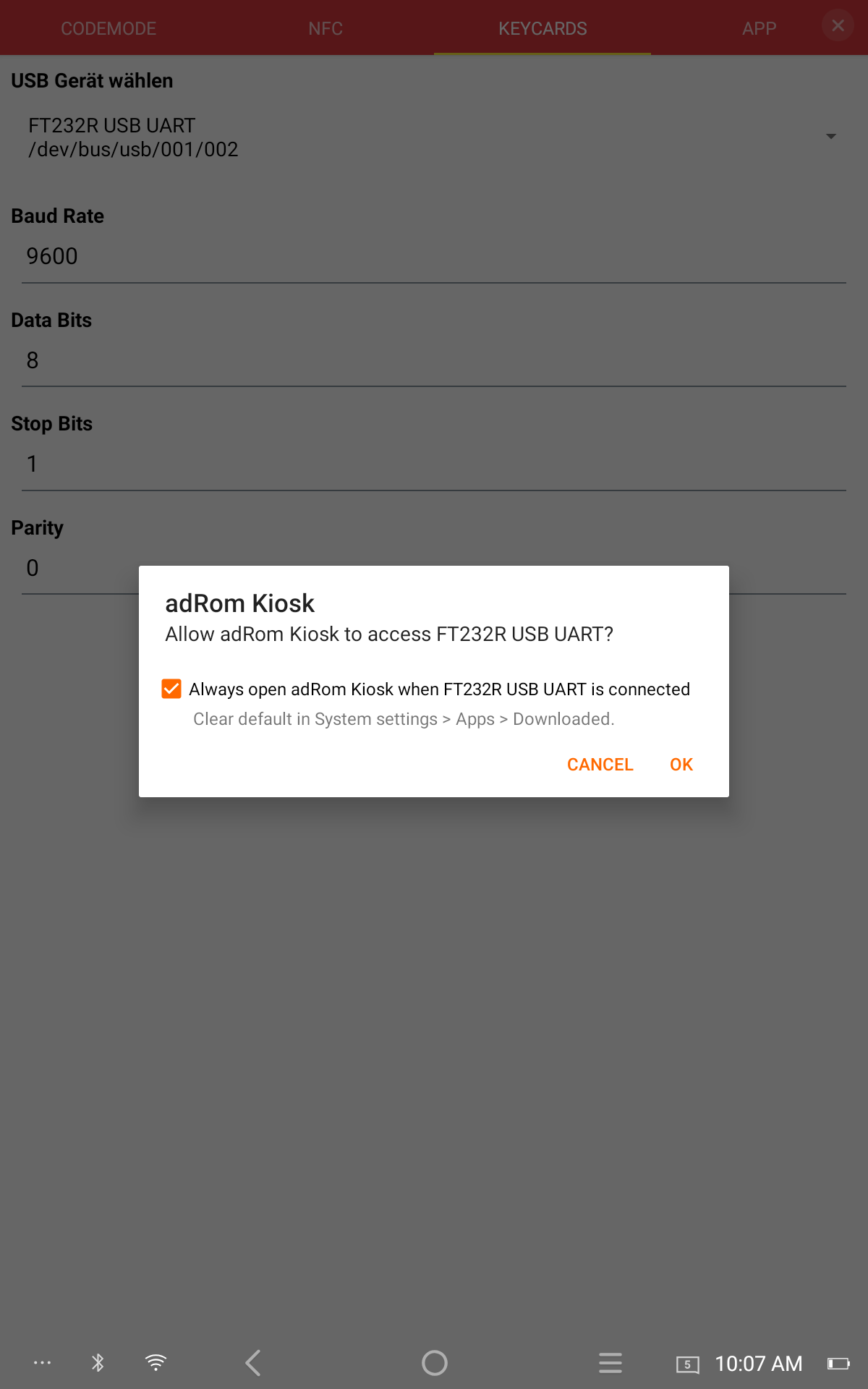
Finally press Save & Connect. The first time, the Android system dialog for USB devices is shown. Tick the checkbox and confirm.
-
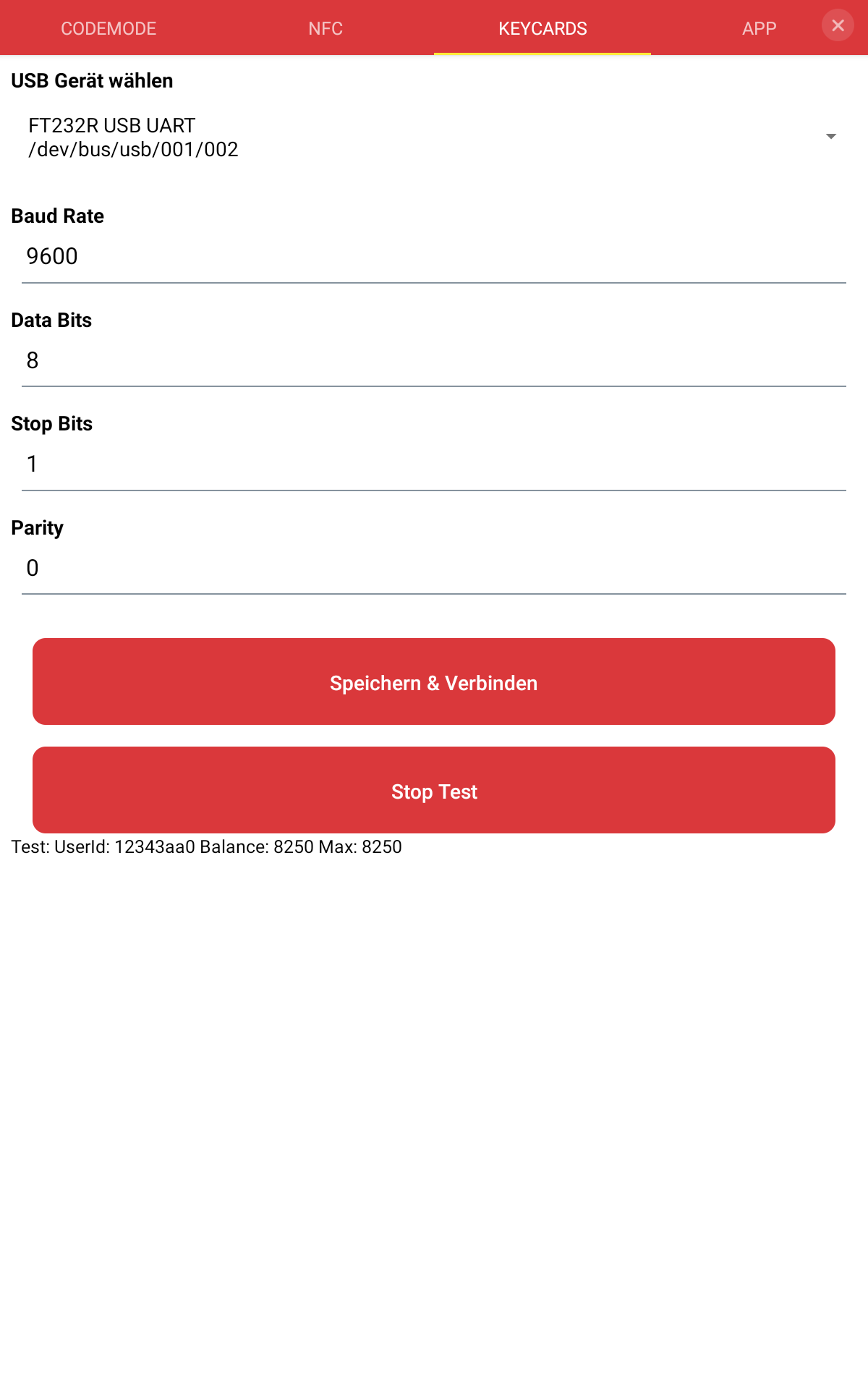
Then Start Test can be pressed; the system attempts to read the user identifier and current balance from the currently presented keycard. The status is shown below the Test button.
-
Finally press Stop Test and Disconnect; the device is now ready for payments.