
Setup
To enable ordering and the receipt of orders, the following points must be fulfilled:
-
In the Sales Point settings, activate the "Online Orders" option and enter the corresponding bessa token.
-
Activate online orders for the relevant article groups and articles.
-
Activate online orders for the relevant order screens to predefine a menu structure.
-
Grant one or more user roles the "Online Orders" permission so that orders can be accepted directly at the Sales Point. This is only necessary if the Connector is to run directly on the Sales Point.
Accepting Orders
If the Connector runs directly on the Sales Point, a popup appears at the Sales Point for each new order, through which the order can be accepted. The Connector can also be opened manually via the "Online Orders" menu item.
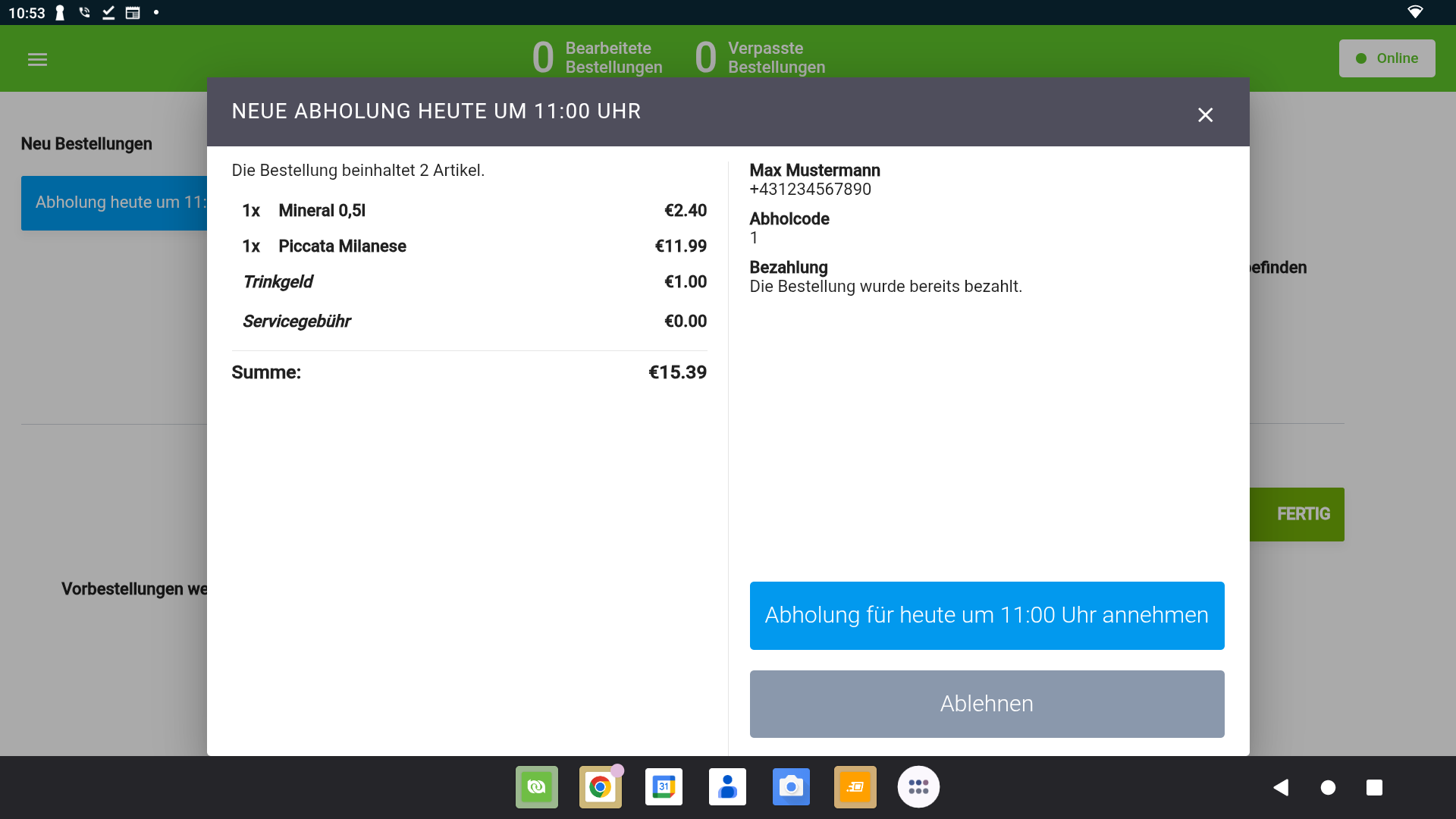
Orders that have already been paid (card, voucher, credit card, …) are automatically closed with an invoice.
Orders paid in cash remain open in the system until manual payment and can be retrieved via the "Open Orders" menu item using the pickup code and/or customer name and then paid. The "Open Orders" permission is required for this.
Distinguishing Payments per Delivery Platform
So that the revenue of each delivery platform can be analysed separately, create one payment method of the matching type per platform (usually "Card payment (manual)", or "Cash" for cash orders) with the platform name in its name. For details, see Payment Methods for Delivery Platforms.
Correcting Tax Rates
In principle, the articles transmitted by delivery platforms are correctly mapped to the articles in the point-of-sale system. Due to promotions or manual changes, however, an article may not be found in the system.
For these cases, the point-of-sale system has automatically created article groups and articles named "NOT MAPPABLE xx%" to which these unmappable articles are posted. This allows the system to accept every order despite a deviating configuration.
If these articles (or article groups) appear on the daily closing or in the revenue reports, they must be checked manually, the article configuration must be adjusted accordingly, and the articles in the order must be re-posted to the correct tax rates by means of an invoice correction.