The bessa-app voucher interface has been implemented.
This interface has a few special features:
The number can be up to 20 digits long.
If an identifier (the first digits) of the voucher number is defined,
internal vouchers and bessa-app vouchers can be told apart
automatically, and it is even possible to pay with a mix of internal
vouchers and bessa vouchers. An identifier could be e.g. 200, in which
case all bessa vouchers start with that number, e.g. 2001, 2004334,
20043, etc.
Once new vouchers are created, internal vouchers can no longer be
generated. The identifier could be extended so that both work.
If NO identifier is used, the payment-method indicator must be an
I (internet vouchers). If an identifier is used, the payment-method
indicator can also be G. There must, however, be a payment method
with indicator I so the interface can be initialised.
If a purely numeric number is used, without leading zeros, the
quantity can also be activated during voucher sale — so 10 vouchers
can be created at once.
To cancel a voucher, simply enter "storno" in the NAME field
during the voucher sale.
Numbers can also be 00001, but then the quantity is always 1 when
vouchers are created. As an identifier you can use e.g. "0", so the
number range runs from 00001 to 09999 while internal old vouchers
can still be redeemed.
All transactions are logged in theprotkitzgut.txtfile.
If troubleshootingDis enabled, everything is also logged exactly
inprotkitz.log.
Important: there must be NOincert.cfgfile!
The interface is activated by the voucher module and thebessa.cfg
file. Here is an example of the contents ofbessa.cfg:
Adresse = [https://stg.bessa.app/v1/web/pos/cards/charge/](https://stg.bessa.app/v1/web/pos/cards/charge/) StornoUrl = [https://stg.bessa.app/v1/web/pos/cards/cancel/charge/](https://stg.bessa.app/v1/web/pos/cards/cancel/charge/) Token = 903595ef287cb7d0ca14705e0100e4cd34cbfba8 BessaAppKennung = 0 // means all numbers start with "0"!
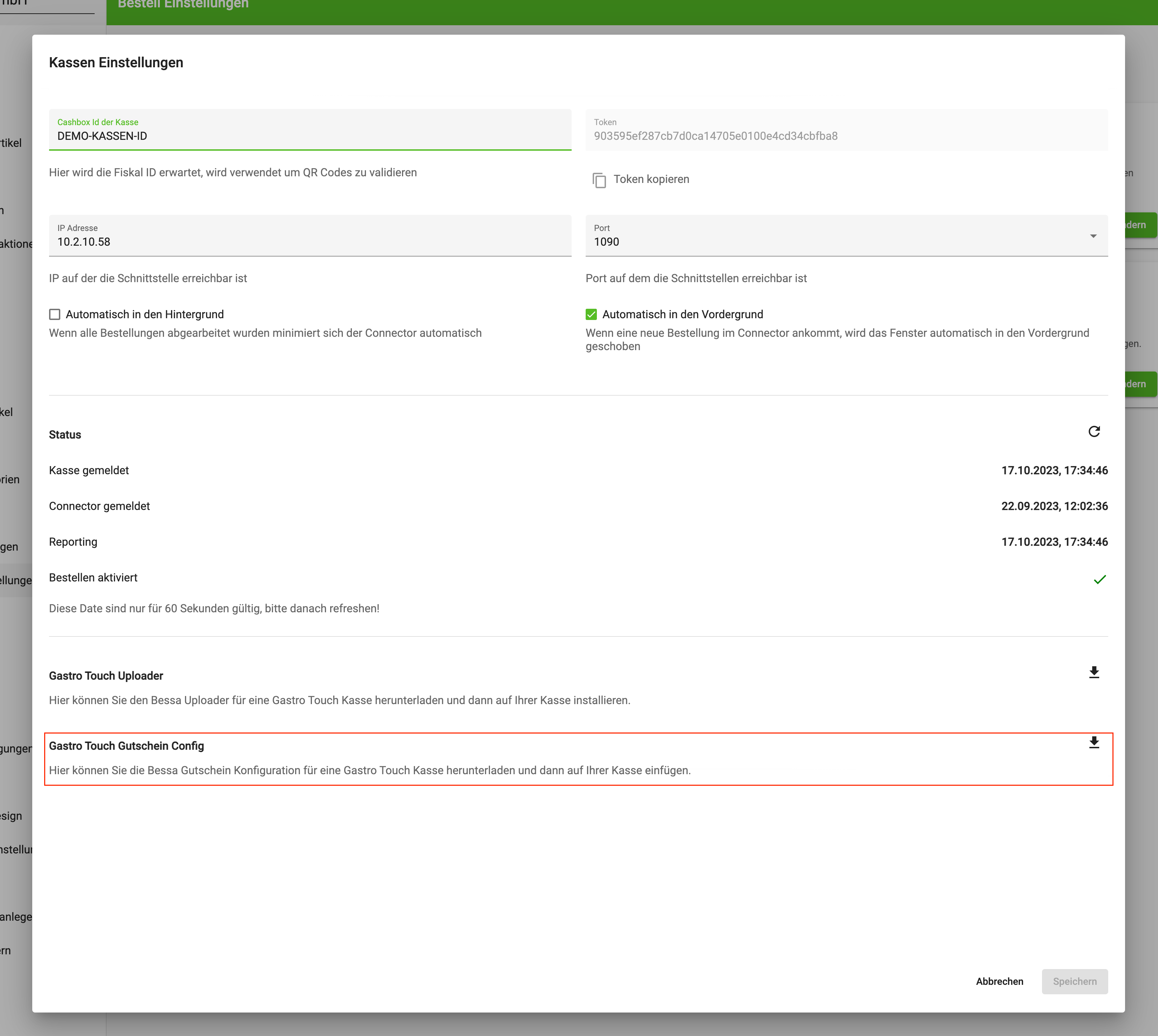
The configuration file for the respective venue can be downloaded in bessa Manager.
Order settings > Sales Point settings > GastroTouch voucher config