
Tax Types
Tax types define the VAT rates used in bessa Kassa for products and product groups. The available tax rates are predefined based on your country and cannot be modified.
Overview
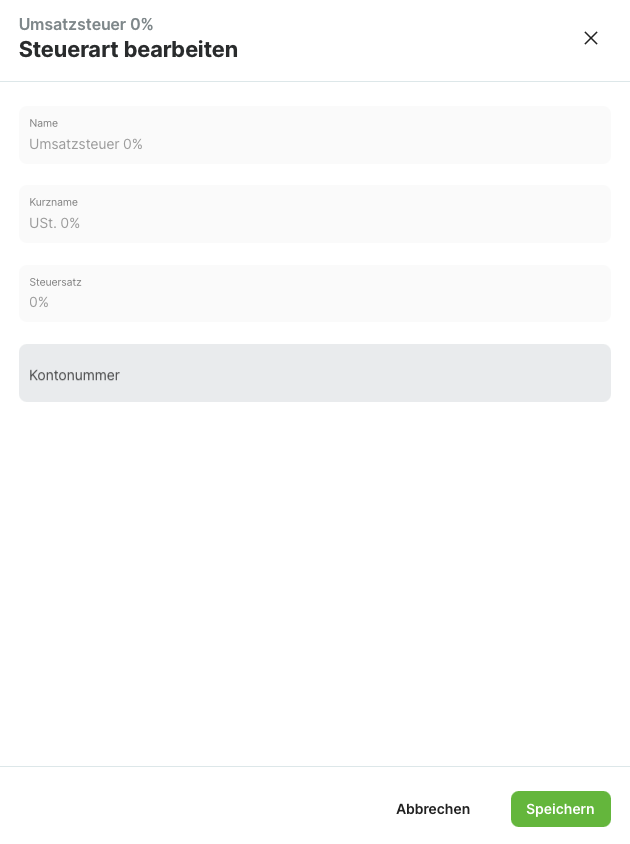
Each tax type contains the following information:
-
Name: Full designation of the tax type (e.g., "Standard Rate")
-
Short Name: Abbreviation for receipts and invoices (e.g., "SR")
-
Tax Rate: VAT percentage (e.g., 20%)
-
Account Number: Optional number for accounting exports
Accessing Tax Types
-
Open the bessa Kassa Manager
-
Navigate to Master Data
-
Select Tax Types
Editing Tax Types
Tax rates and designations are system-defined and cannot be created, edited, or deleted.
Editing Account Numbers
The only editable property of a tax type is the Account Number for accounting exports:
-
Click on the desired tax type
-
Enter the corresponding number in the Account Number field
-
Save your changes
Info: The account number format depends on your accounting software. For more information, see Accounting Exports.
Assigning Tax Types
Tax types are assigned when configuring products:
-
For Article Groups: Set the default tax rate for all articles in the group
-
For individual Articles: Override the product group's tax rate if needed
Tip: Use product groups to manage tax types efficiently. This way, you don't have to configure each product individually.