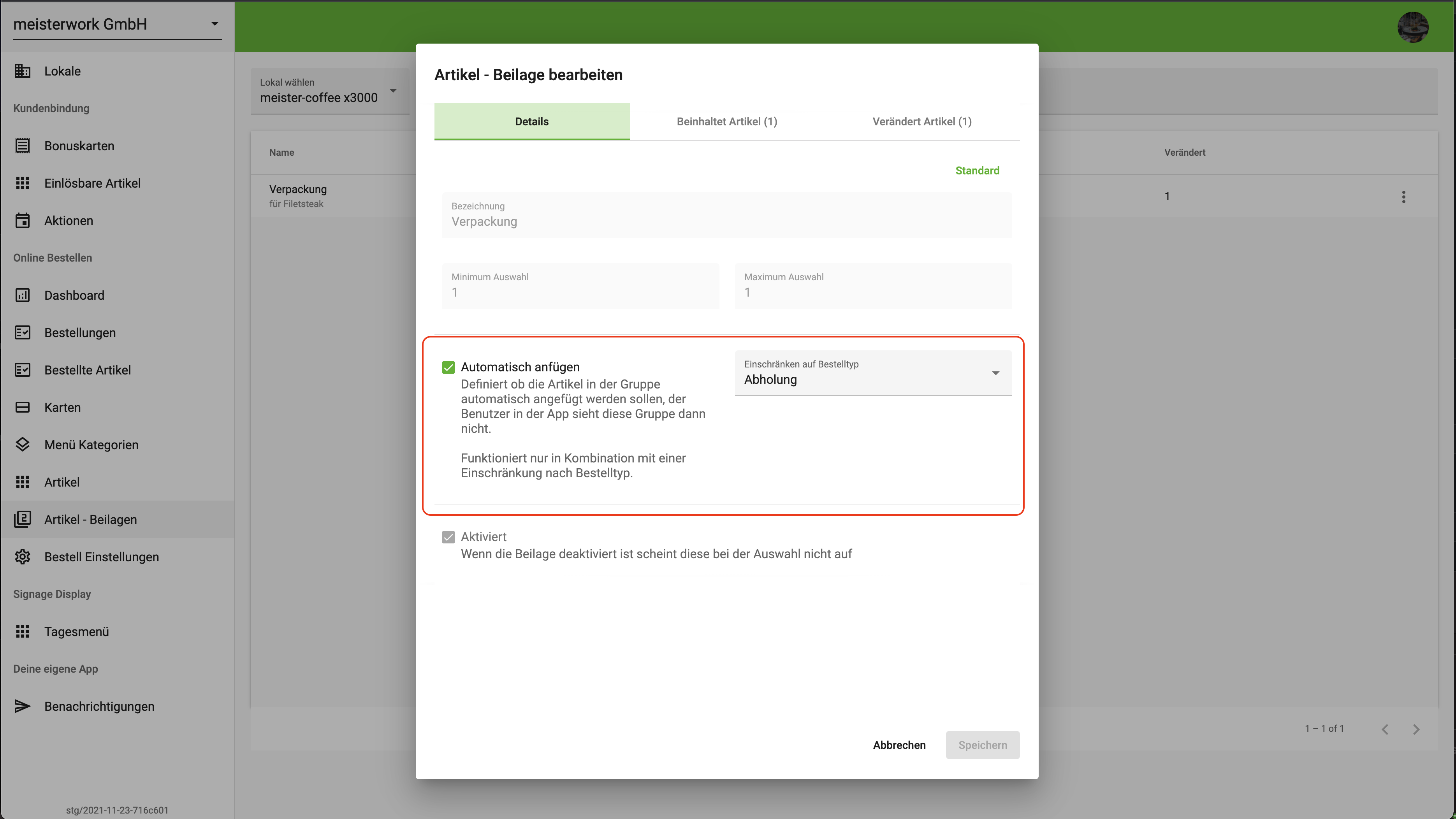
Side dishes can be added automatically during the ordering process. The important thing is that the side dish contains exactly one article and the min/max settings are each set to 1.
This system is mainly used for pickup or delivery orders, for example when you want to automatically add a packaging item.
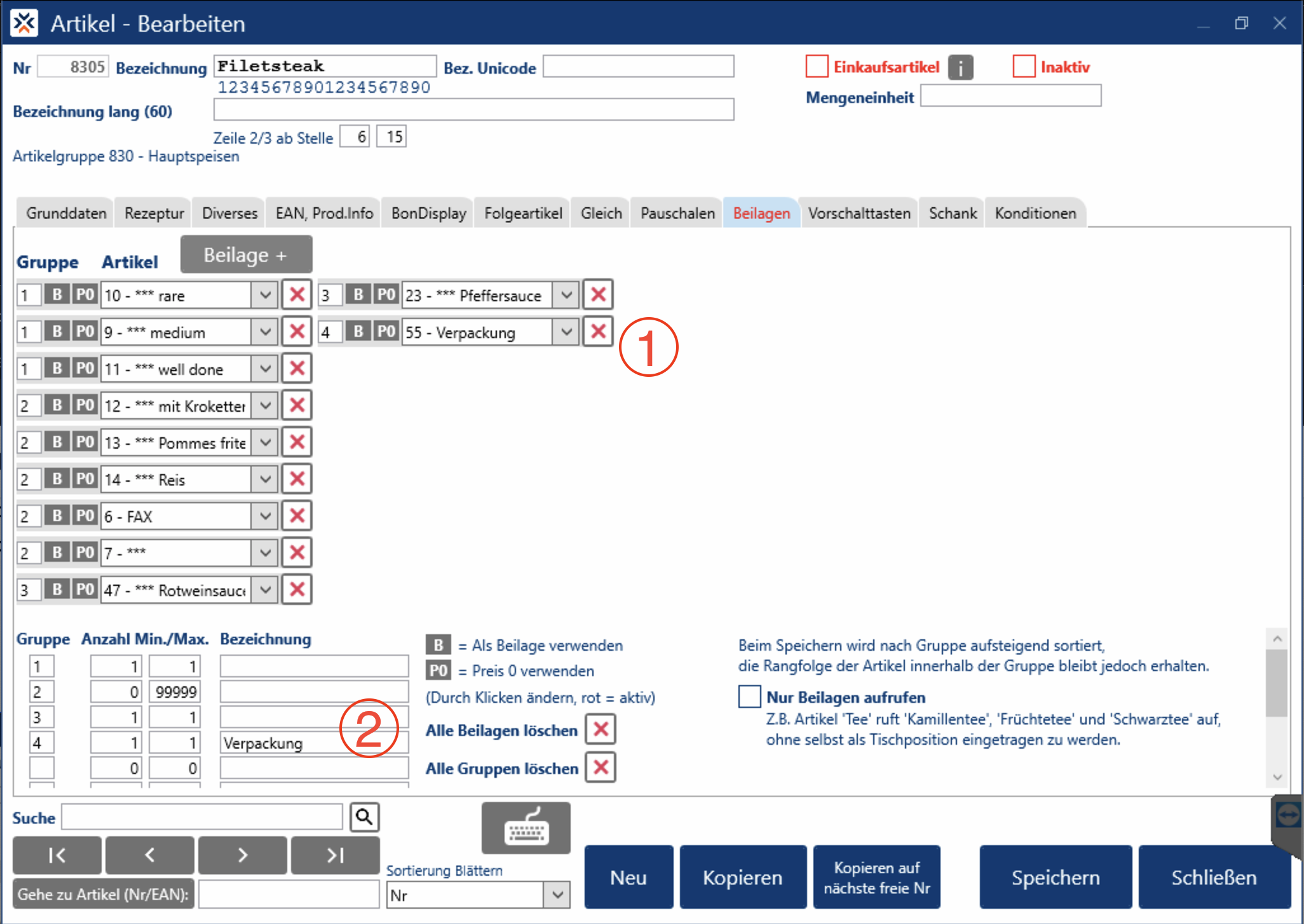
Example article: fillet steak - X3000
-
Add a packaging article as its own group (group
4in the image) -
Optionally change the name of the group (changed to
Packagingin the image)
Activate Automatic Adding in Manager
For Packaging to be added automatically, the side-dish checkbox must be set in Manager.
-
Search for the side dish
Packaging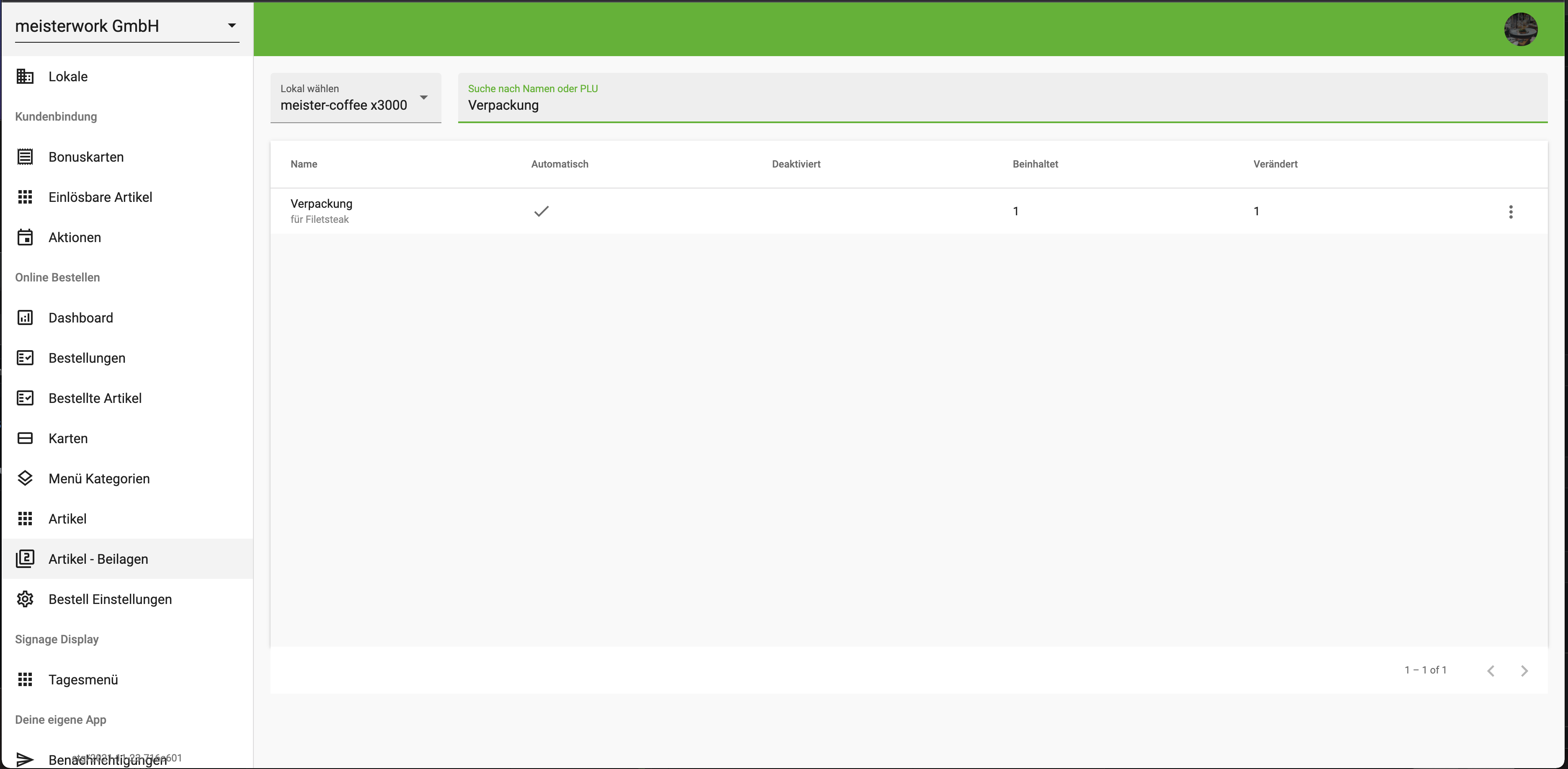
-
Tick
Add automaticallyand select the order type for which this action should be performed.