
With closures you define when your venue does not accept app and web orders, for example on public holidays, during vacation, or when the kitchen is temporarily overloaded. Public holidays are not applied automatically. You add them yourself, but the bessa Manager suggests the upcoming holidays for you to pick from.
Prerequisites
-
Online ordering is set up for your location.
Adding a closure
-
In the bessa Manager, open Order Settings > Closures.
-
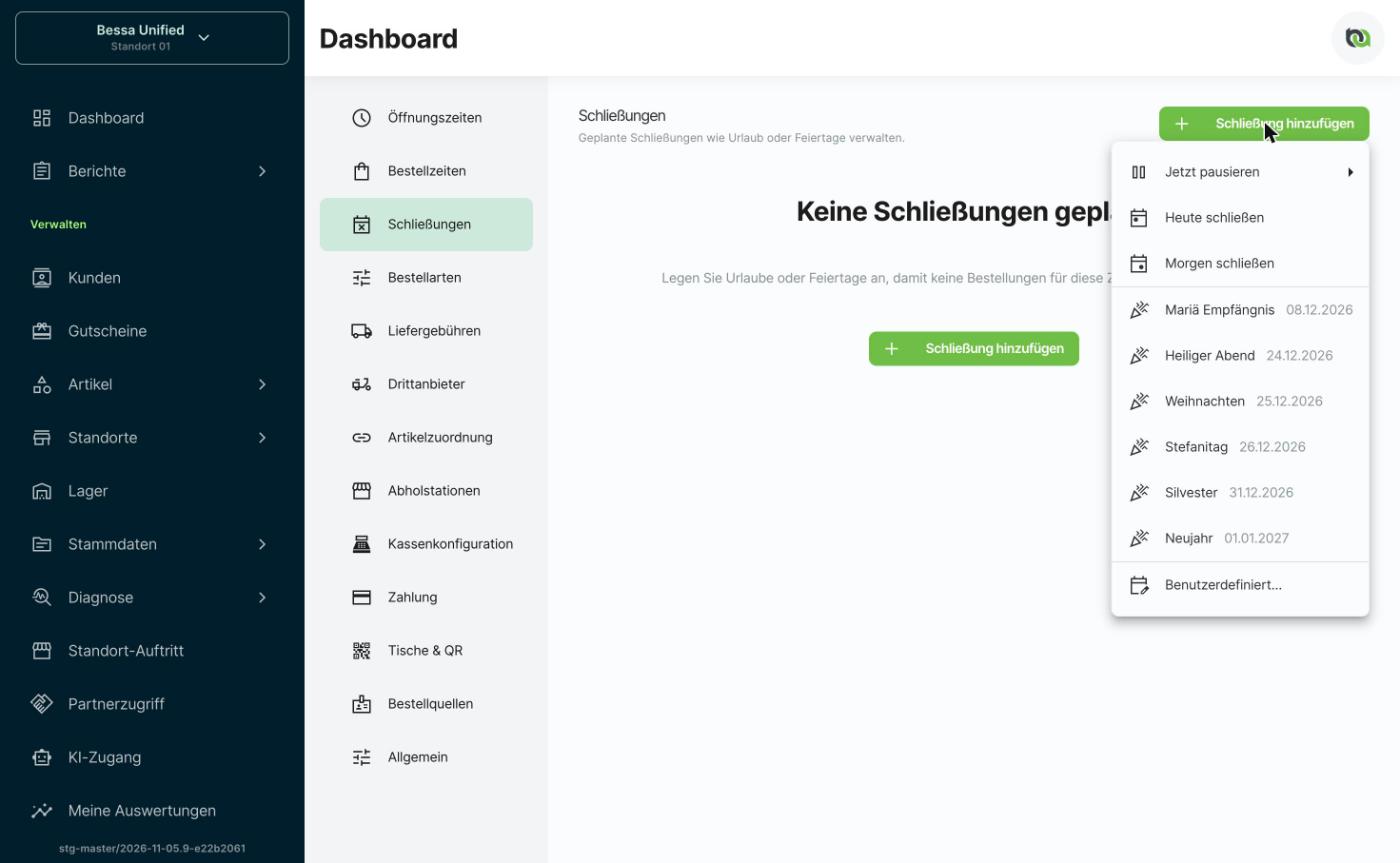
Click Add closure and choose one of the options:
-
Pause now: stops accepting orders immediately for 30 minutes, 1 hour or 2 hours.
-
Close today or Close tomorrow: closes for the whole day.
-
A public holiday from the list: the upcoming public holidays of your country with their dates. One click adds an all-day closure named after the holiday.
-
Custom…: your own period, for example for company vacation.
-
-
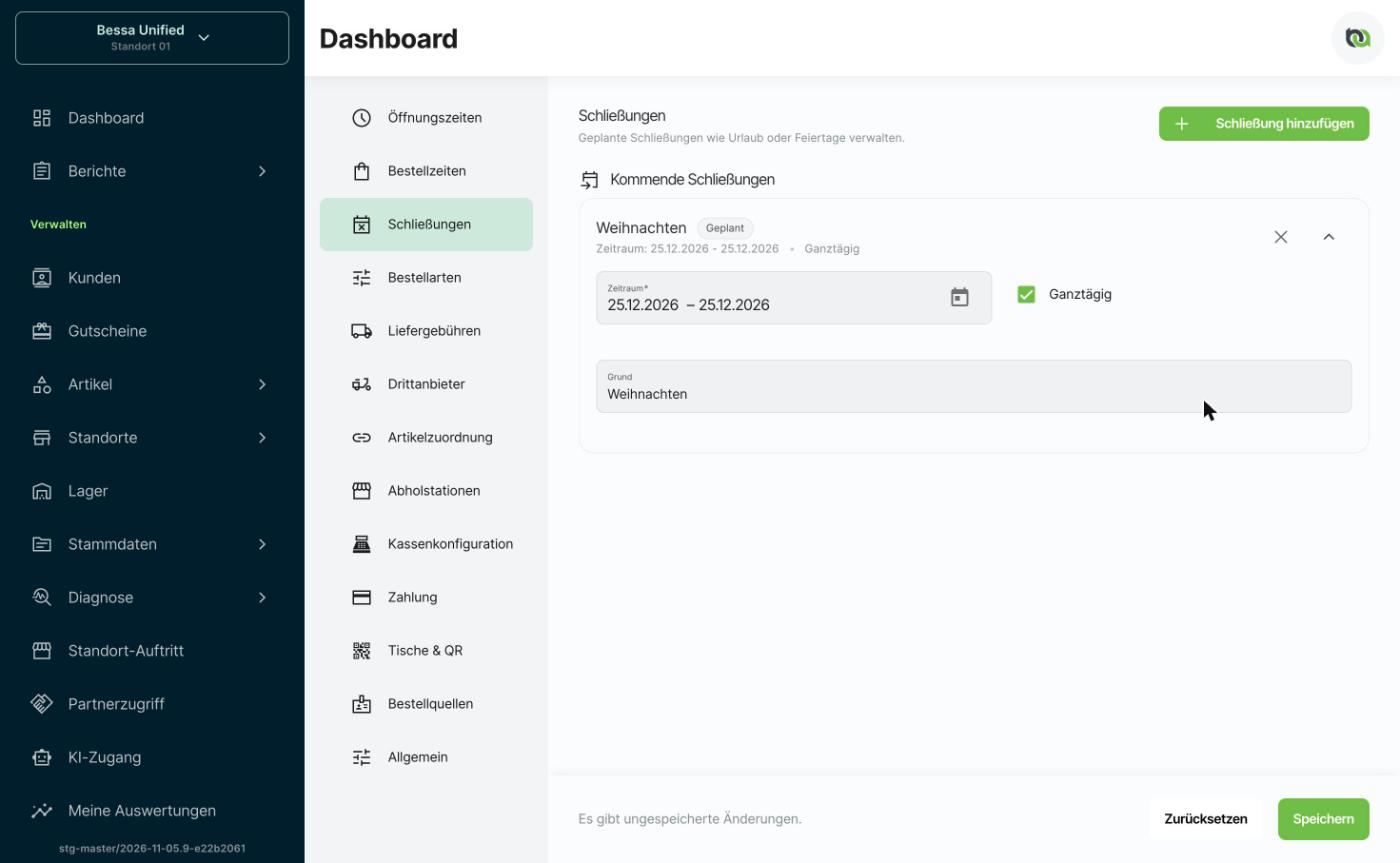
Check Date range, All day and Reason. If All day is off, you can set a start and end time.
-
Click Save.
Good to know
-
Upcoming closures lists all planned closures. Remove one with the X, then click Save.
-
Show past closures with Show past closures.
-
Regular order times per weekday are set under Order Settings > Order times. Closures apply on top of them.