
Under Delivery fees you define where your venue delivers and what delivery costs. Each delivery rule consists of a delivery area and a fee logic. You define the delivery area by postal codes or by a radius around your location. Individual streets or an area drawn on a map are not supported.
Prerequisites
-
The order type Delivery is enabled under Order Settings > Order types. Until it is, the Delivery fees page shows the notice „Enable delivery first“.
Adding a delivery rule
-
In the bessa Manager, open Order Settings > Delivery fees.
-
Click Add rule.
-
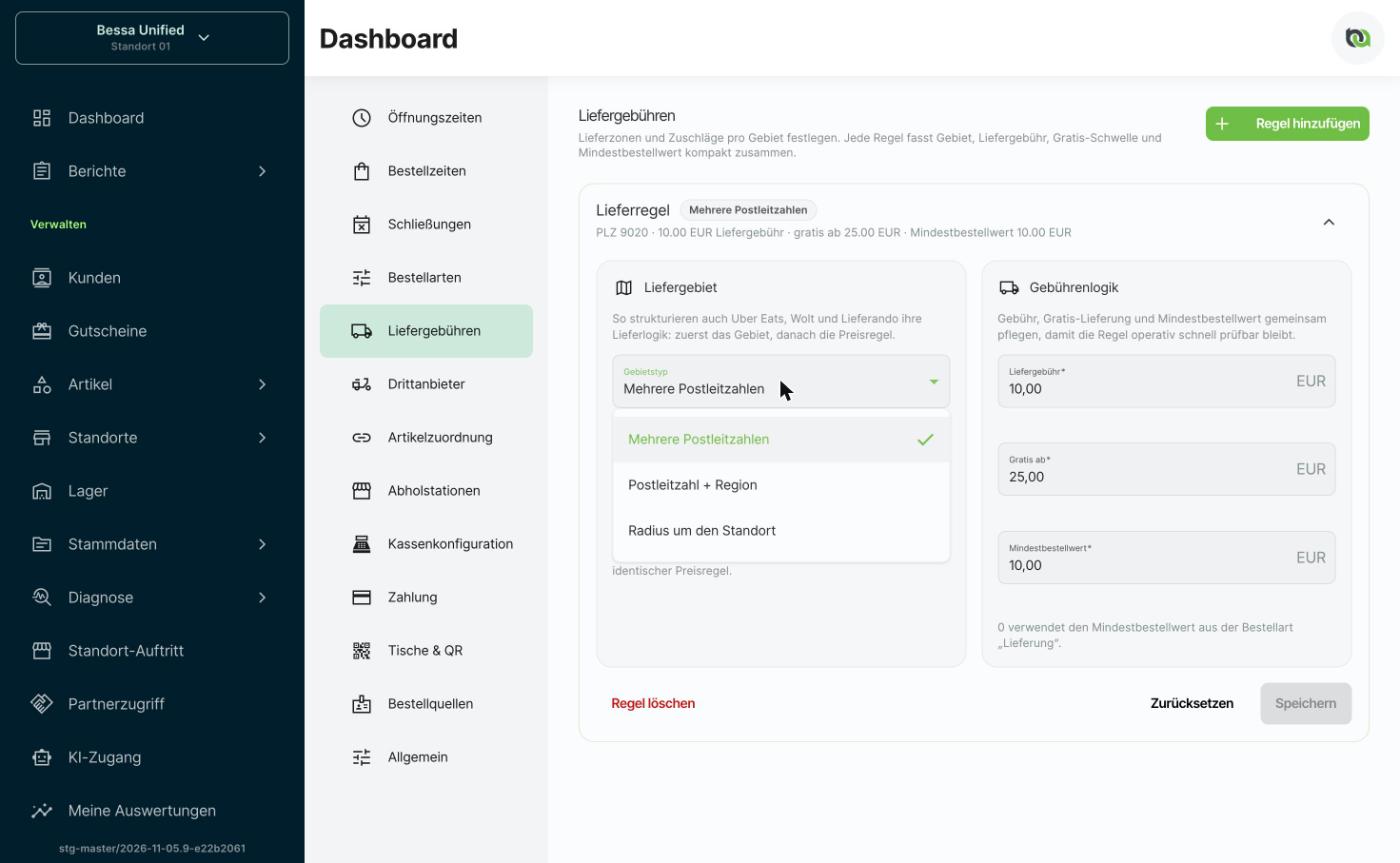
Under Delivery area, choose the Area type:
|
Area type |
Use |
|---|---|
|
Multiple postal codes |
One delivery zone made of one or more postal codes, all with the same fee. Type each postal code and confirm with Enter. |
|
Postal code + region |
One postal code split into regions, for example districts, when the fee or minimum order value should differ within the postal code. Add one rule per region. |
|
Radius around location |
A delivery zone around your location, given in meters. |
-
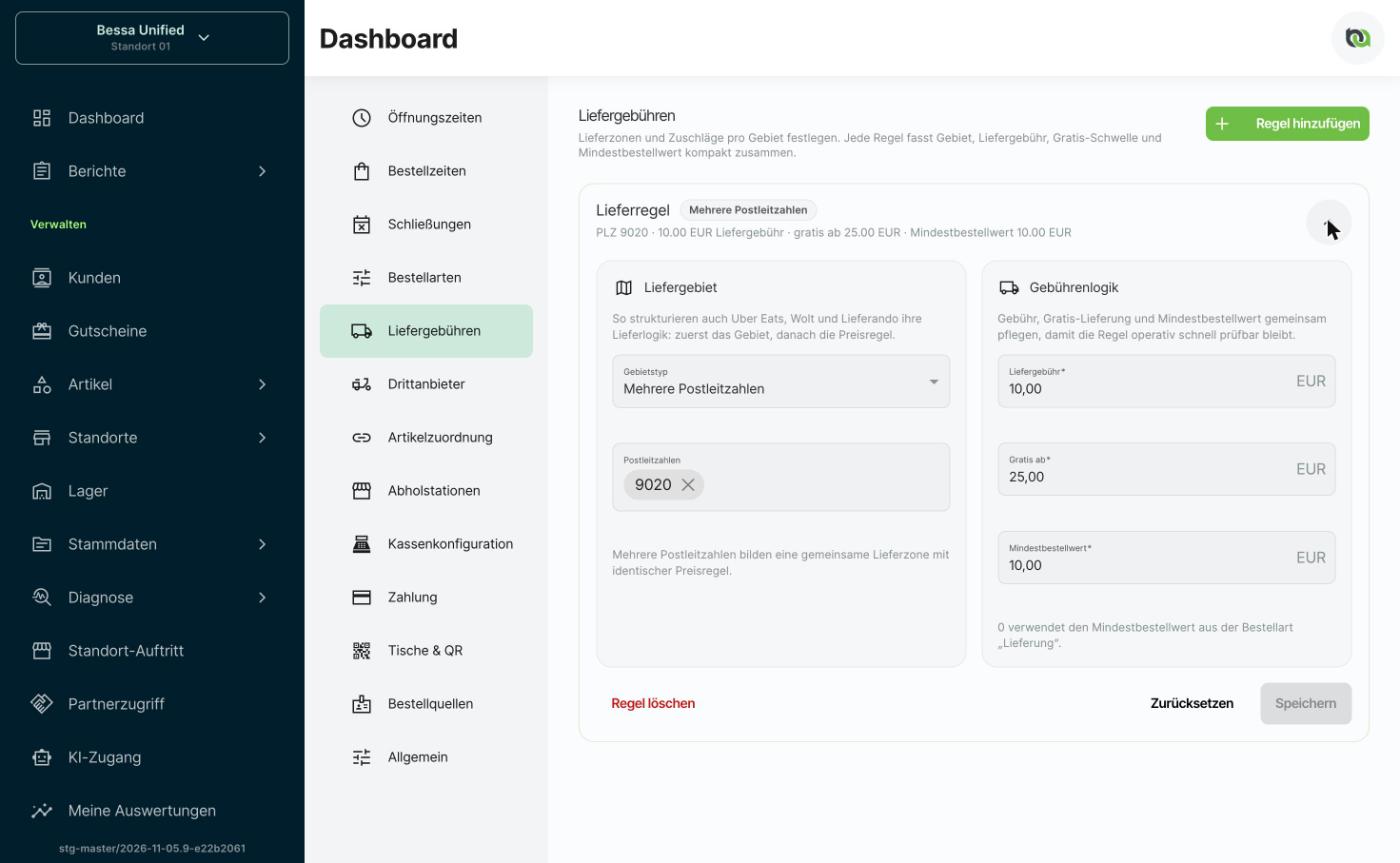
Under Fee logic, enter:
-
Delivery fee: the amount the guest pays for delivery.
-
Free from: from this order value on, delivery is free.
-
Minimum order value: below this value, delivery is not possible. With 0, the minimum order value of the Delivery order type applies.
-
-
Click Save.
Good to know
-
For different fees per area, add several rules, for example one rule for the postal codes in the center and a second one with a higher fee for the surrounding area.
-
The summary of each rule shows area, delivery fee, free-delivery threshold and minimum order value at a glance. Expand a rule with the arrow to edit it.
-
Remove a delivery rule with Delete rule.